

Is the JAMB reprint out for 2026? The JAMB portal for printing examination slips is not yet active as of February.
Don’t worry, the official exam dates for JAMB 2026 have now been confirmed and we can accurately project when the portal will open.
The JAMB Mock Exam is scheduled for March 28, 2026 and the Main UTME begins on April 16, 2026.
Based on this examination timeline, reprinting is expected to start in mid-march.
In this guide, we will provide you the specific dates you need to bookmark on your calendar and step by step tutorials on how to check your exam center using the JAMB portal.
When Will JAMB Reprinting 2026 Start?
This is a very important question for a serious candidate who wants to follow JAMB updates on a daily basis.
The Joint Admissions and Matriculation Board (JAMB) normally enables the reprint portal 7 to 10 days before the examination. Here is the projected timeline for the 2026 UTME:
For Mock Exam Candidates
For candidates that registered for the optional Mock Exam, your slip will be available first. Bookmark this date right now.
- Mock Exam Date: Saturday, March 28, 2026.
- Reprinting Starts (Estimated): March 20 – March 21, 20262.
For Main UTME Candidates
Remember that all candidates must reprint their slips for the main exam, even if they sat for the Mock.
- Main Exam Start Date: Thursday, April 16, 2026.
- Reprinting Starts (Estimated): April 8 – April 10, 2026.
If you see “No Record Found” when you try to check it right now, do not panic. It means that the JAMB portal has not yet uploaded the exam schedule for the 2026 session.
How to Reprint Your JAMB Slip 2026 (Step-by-Step)
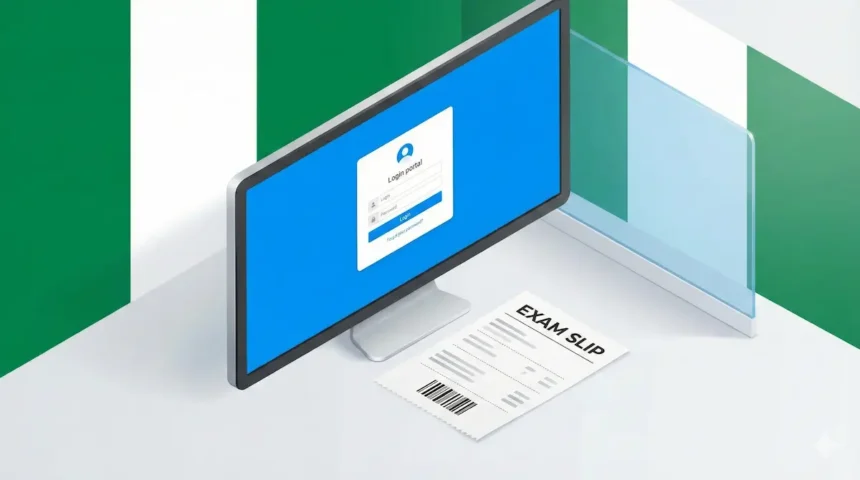
How to reprint your JAMB slip is actually simple and straightforward. Once the JAMB portal is live, you can print your slip using your computer or mobile phone.
You do not need to log in to your JAMB CAPS account or use a password; you only need your registration details.
Follow these steps to print your JAMB exam slip:
Visit the Reprint Portal
Go to the official slip checking link: https://slipsprinting.jamb.gov.ng/PrintExaminationSlip.
If this link does not open, visit the main JAMB portal (jamb.gov.ng) and click ‘UTME 2026 Examination Slip’ on the menu.”
Enter Your Details:
In the required field, type your JAMB Registration Number, Email Address, or GSM Number (the one you used to register).
Generate Slip:
Click on the button labeled “Print Examination Slip”.
Download & Print:
Your slip will pop up. If you are on a mobile phone, save it as a PDF and take it to a cyber café to print.
For record purposes, kindly print two or more copies, we know the Nigerian educational system very well. Submit one at the exam center and keep one for yourself. This is important.
Troubleshooting: “No Record Found” & Portal Issues
The truth is that most times candidates face similar challenges every JAMB year. No Record Found and portal issues are major challenges we need to address right now.
Because you might face it soon.During the jamb slip reprinting rush the server often becomes slow and frustrating.
Here is how to fix common issues:
“No Record Found”:
Every year thousands of candidates complain about this particular issue. If the portal is officially open and you still see this error, check if you are inputting the Registration Number correctly.
If the issue persists, try using your Email address instead.
Site Not Loading:
Well, this is not new for Nigerians. It always happens. The jamb e-facility and reprint portals handle massive traffic. Try checking the portal late at night (between 1 AM and 5 AM) when traffic is lower.
Use a browser like Chrome or Phoenix and ensure you are in ‘Desktop Mode’ if you are having trouble viewing the full slip on mobile.
”Pop-up Blocked:
If you click “Print” and nothing happens, check your browser settings. You must allow pop-ups for the JAMB site to view your slip.
Important Things to Check on Your Exam Slip
Printing your exam slip is actually one of the smartest things you can do for yourself. Do it now and fast.However, your JAMB exam slip is your access card to the exam hall. Once you download it, verify the following details immediately.
Exam Date & Time
Don’t miss your exam date and time. JAMB exams are scheduled in sessions (morning, afternoon, etc.). Missing your specific time slot means missing the exam entirely.
CBT Center Location:
To stay on the safer side, visit the venue a day before if you are unsure of the location. Locate the center so you get familiar with the route.
Double check your exam address, some cities have multiple centers with similar names.
Registration Number:
Make sure to check that your registration number on the slip matches the one on your registration documents.
Conclusion,
JAMB registration 2026 deadline closes on February 28, you need to start exam preparation immediately. Remember to mark March 20 on your calendar as the likely start date for exam slip reprinting. Please bookmark this page, we will update the direct printing link the moment JAMB portal goes live for the 2026 mock notification.
Is the JAMB reprint out for 2026?
Can I use my phone to reprint my JAMB slip?
Do I need to reprint if I am not writing the Mock?
How do I check my exam center without email?
jamb slip reprinting portal and enter your JAMB Registration Number or GSM Phone Number to view your details.